
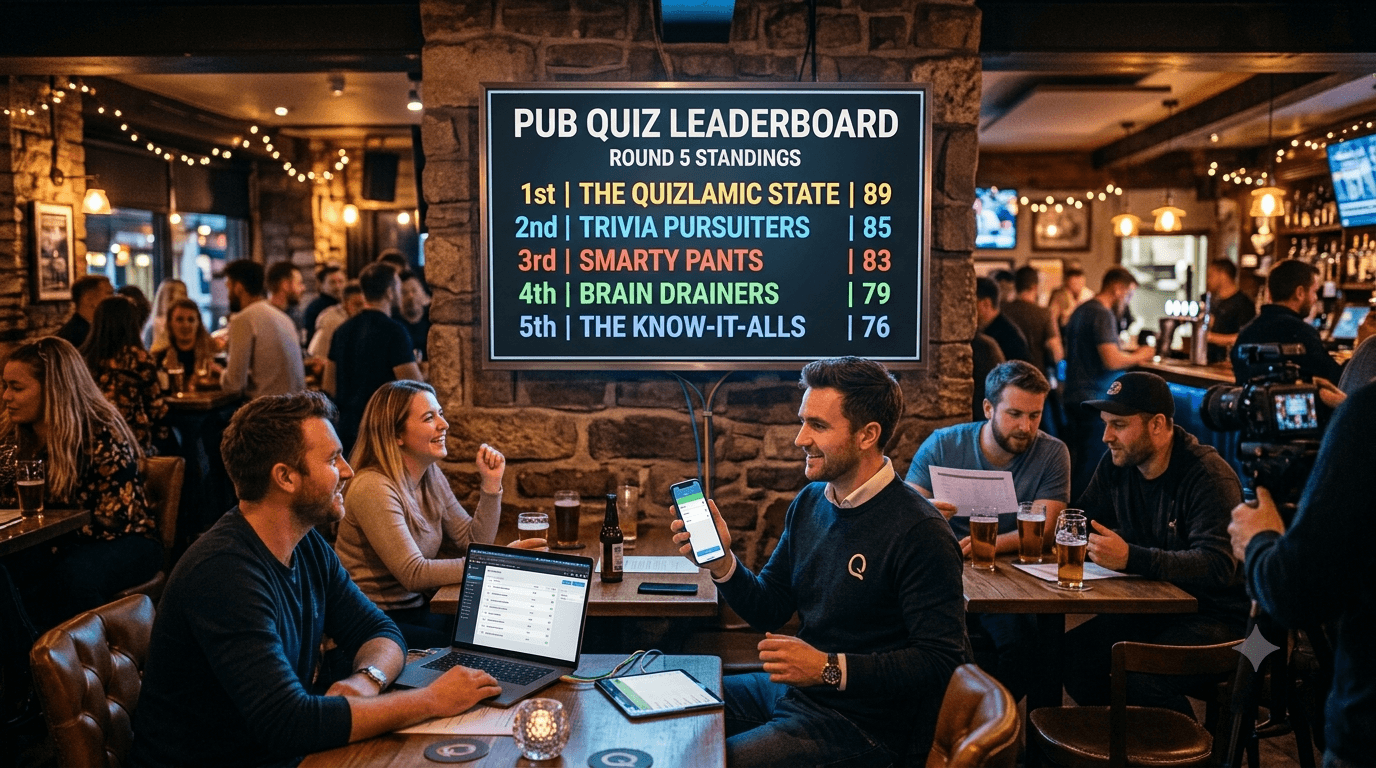
Free Pub Quiz Leaderboard: Real-Time Scores on Any Screen
Most pub quizmasters run their nights the same way they have for twenty years: a whiteboard, a marker, and ten minutes of chaos between rounds while they tot up totals and someone argues about question 14.
It doesn't have to be that way. A live digital leaderboard takes about five minutes to set up, costs nothing, and replaces the whiteboard entirely. Teams see their score update in real-time. You enter scores from your phone. Everyone knows exactly where they stand before you've finished saying "pencils down."
Here's how to run it.
What You Need
- A free TrackScore account — 30 seconds, no credit card
- Your phone to enter scores between rounds
- A screen in your venue (TV, projector, laptop — anything with a browser)
No app downloads for quiz teams. No account required to view the leaderboard. Just a link you share on the screen or in the room.
Step 1: Create the Quiz Leaderboard
Log in to TrackScore and click New Leaderboard. Name it after your quiz night — "The Crown Tuesday Quiz" or "Trivia Night — 12 May" both work fine.
Add a single metric called Score, type Numeric, higher is better. That's your round-by-round running total.
If you want to track round-by-round scores separately (useful for identifying consistent performers or running a "best round" prize), add one metric per round: Round 1, Round 2, Round 3, and so on. Set the overall ranking to sum and TrackScore totals everything automatically.
Step 2: Add Your Teams
Click Add Participants and type in your team names. For a typical pub quiz with 8–15 teams, this takes under two minutes.
If you're running a regular weekly quiz and teams are usually the same crowd, save a leaderboard template and duplicate it each week. Your teams are already there — just clear the scores and go.
Step 3: Put the Leaderboard on Your Screen
Every leaderboard has a public URL that requires no login to view. Open it on whatever device is connected to your venue screen — Chromecast, laptop via HDMI, Amazon Fire Stick with a browser, anything.
Switch the display to TV Mode for a full-screen view with larger text that's readable from across the room. The display refreshes automatically as scores come in. You don't need to touch the screen again until the night ends.
If you want to keep the leaderboard hidden between rounds and only reveal it at certain points, simply tab away from it on the display device. Tab back when you're ready to show standings.
Step 4: Enter Scores Between Rounds
After each round, pull out your phone, open the TrackScore dashboard, tap the team's name, and enter their score. Hit save. That's it — the leaderboard updates instantly on your venue screen.
For a 10-team quiz, entering all scores takes about 90 seconds. Faster than a whiteboard, more accurate, and teams see the results the moment you've finished entering.
Step 5: Handle Tiebreakers
If two teams tie at the end, there are two clean options:
-
Tiebreaker metric: Add a second metric called "Tiebreaker" from the start. Teams that need it get a score entered; everyone else stays blank. The ranking sorts by primary score first, tiebreaker second.
-
Manual override: For a live playoff round, just tell the room — the leaderboard serves as a reference, not the judge. Enter the final result after the tiebreaker is settled.
Running a Multi-Week League
Pub quiz leagues are a natural fit for TrackScore. If you run a 6-week league, create one leaderboard with 6 metrics — one per week. Teams accumulate points across the season. The running total leaderboard stays live between weeks, so regulars can check standings any time via the public URL.
Sharing the link in your venue's WhatsApp group or Facebook page means people are checking the standings between quiz nights — which brings them back next week.
FAQ
Is it actually free? Yes. The free plan supports up to 15 teams per leaderboard with no time limit. Most pub quizzes have fewer than 15 teams — if yours is bigger, the Pro plan at $12/month removes the participant cap entirely.
Can teams see the leaderboard on their phones during the quiz? Yes — the public URL works on any device. Whether that's a good idea depends on your quiz format. Some hosts share the link openly; others keep it on the screen only and don't share the URL until the night ends. Your call.
How many teams can I add on the free plan? Up to 15 per leaderboard. For larger events (charity quizzes, corporate nights with 20+ teams), the Pro plan covers up to 50 teams per board.
Does it work without internet? No — TrackScore requires an internet connection for real-time updates. For venue use, your pub's WiFi or a mobile hotspot is enough. A stable connection is more important than speed; the data per score update is negligible.
Can I customise the leaderboard with my quiz branding? The Pro plan lets you add a logo, change colours, and remove TrackScore branding. The free plan uses the default theme. For a casual weekly quiz, the default looks clean enough. For a ticketed event or corporate quiz night, Pro makes it look polished.
Do teams need to download an app? No. The public leaderboard is a regular web page. Teams open the URL in any browser — no account, no download.
What if I make a score entry mistake? Click the team's name in the dashboard and edit the score. The leaderboard updates immediately. No whiteboard erasing required.
The Practical Difference
The whiteboard approach has one fatal flaw: it requires your full attention between rounds at the exact moment you're also trying to collect answer sheets, settle disputes, and get the next round ready.
A digital leaderboard separates the data entry from the display. You can enter scores at whatever pace works for you — teams see them appear on screen as you go. No one is craning their neck trying to read your handwriting. The maths is automatic. And you keep the whiteboard free for whatever actually needs it.
If you run a regular quiz night, the five minutes it takes to set this up the first time will save you more than that every single week.